User Guide
Quick Start
First, please load the plugin "Misow3DAxisWidget" correctly and restart the engine if needed.
Create User Widget
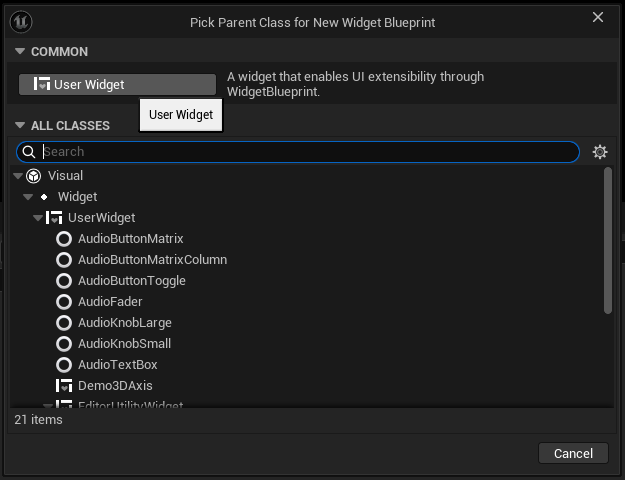
Create a UserWidget in the Content Browser.
Add the 3DAxis widget to the layout and place it in a reasonable position.
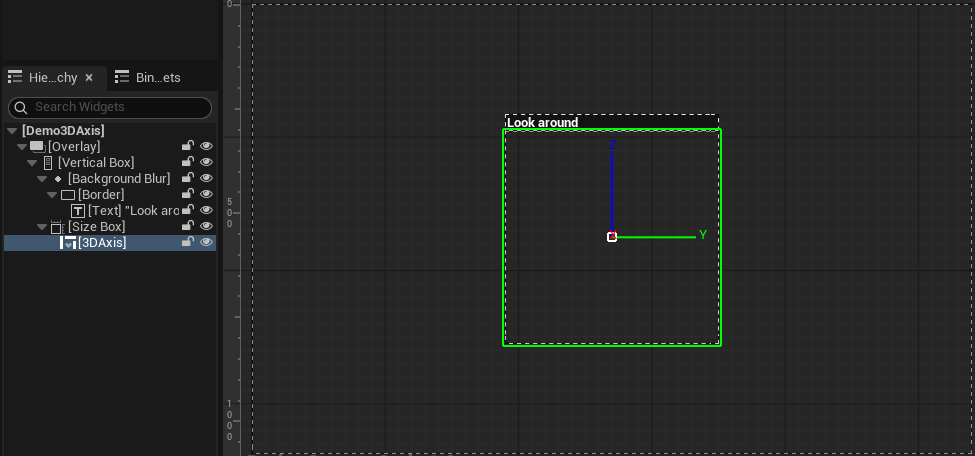
Display Plugin on Screen
Add the widget to the screen
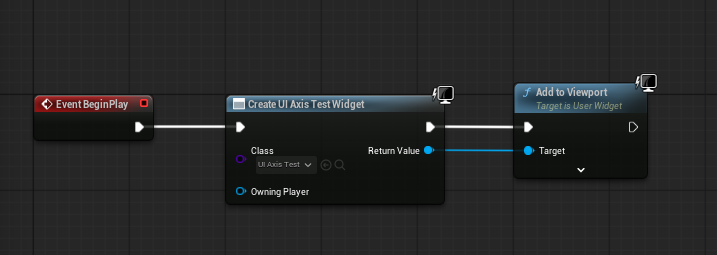
Run the project and test the effect.
Adjust Parameters
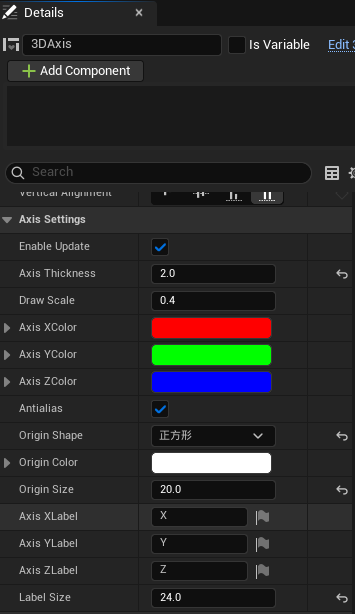
The widget presets some parameters that can control the coordinate system rendering effect:
- Enable Update
- Axis Thickness
- Draw Scale
The radius ratio of the coordinate drawing size relative to the widget size (=0.5 when equal to the widget size) - Axis XColor
- Axis YColor
- Axis ZColor
- Antialias
- Origin Shape
- Circle
- Square
- Diamond
- Cross
- Origin Color
- Origin Size
- Axis XLabel
- Axis YLabel
- Axis ZLabel
- Label Size